- Navigate to Your Storage Account
- In the Azure portal, go to the Change360 storage account.
- Access File Shares:
- Under the “Data storage” section, select “File shares.”
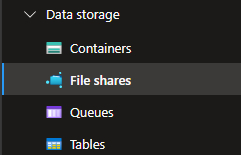
- Under the “Data storage” section, select “File shares.”
- Select Your File Share:
- Choose the specific file share you want to resize, this is typically called "customerarea".

- Choose the specific file share you want to resize, this is typically called "customerarea".
- Edit Quota:
- Click on “Edit quota.”

- Enter the desired maximum size for your file share or select “Set to maximum.”
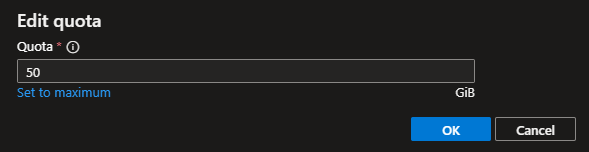
- Click “OK” to save your changes.
- Click on “Edit quota.”
English
