What is App Auto Update?
App auto update allows you to automatically maintain the most current versions of the third-party applications you've subscribed to in Patch360. The auto update process does the following:
- Every hour, the auto update service is run.
- The service runs through the subscribed applications in your Change360 Workspace and matches them against the app database.
The service matches applications based on the architecture, package type, language and scope of the application version to which you subscribed.
You must subscribe to each distinct combination of these properties that you wish to have automatically updated.
- If/When a match is found the version number is checked to determine if a new version is available.
- If a new version is available, the new version is imported into your Change360 Workspace.
- The new version will go through the Workspace pipeline, if the application passes the target OS validation then it is automatically exported to your default Intune tenant.
For auto update to successfully import new versions of applications into your Chnage360 workspace, your Gateway VM must be running.
Setting the default Intune tenant
To ensure applications are automatically exported to the correct Intune tenant, please ensure you enable your default Intune tenant.
If you only have one Intune tenant configured in your Change360 Workspace, then this is automatically set as the default tenant and no action is required.
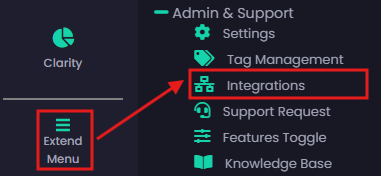
To update the default Intune tenant, head over to the Integrations page.
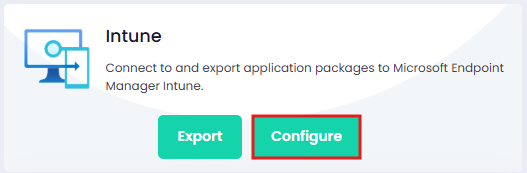
Configure your Intune connection(s).
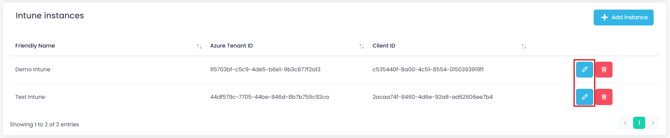
Edit the connection you want to set as the new default.
Check the box to enable the default, and click on Save when done.
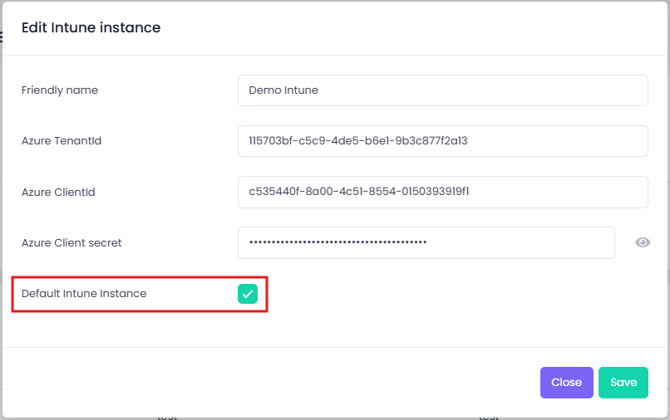
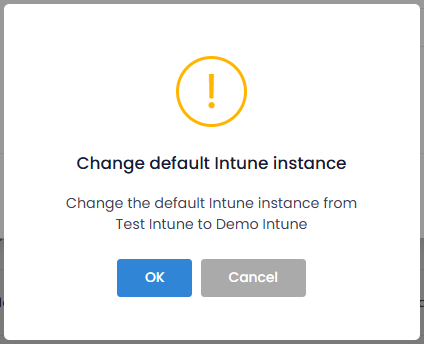
You will be asked to confirm the change.
Click OK to confirm.