
This page covers the Updates & System tab in Settings: the versions you are running and how ATP360 applies updates. It is for administrators who decide whether patches are applied automatically or by hand.
Installed versionsThis tab reports the platform and worker versions you are running — the ATP360 master version, when it was released and installed, and the current worker version — and controls automatic patching.
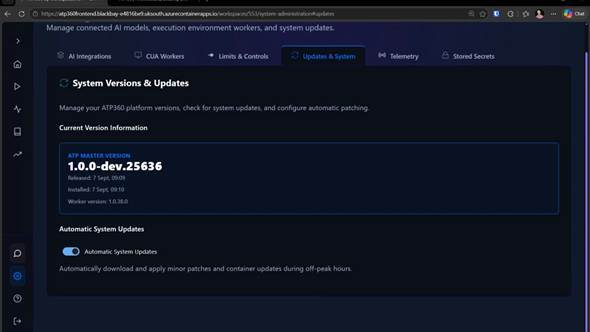
Figure 1 — Settings > Updates & System, with the installed versions and the automatic updates toggle.
Automatic System Updates
Automatic System Updates is on by default, and downloads and applies minor patches and container updates during off-peak hours. Turn it off and updates become a deliberate act: when a new version is available you are prompted — a bell appears on the settings cog — and you apply it yourself. Either way the choice is yours.
Related articles- Administration Guide – Overview
- CUA Workers — how the worker version tracks the platform, and updating a worker by hand
- ATP360 Glossary